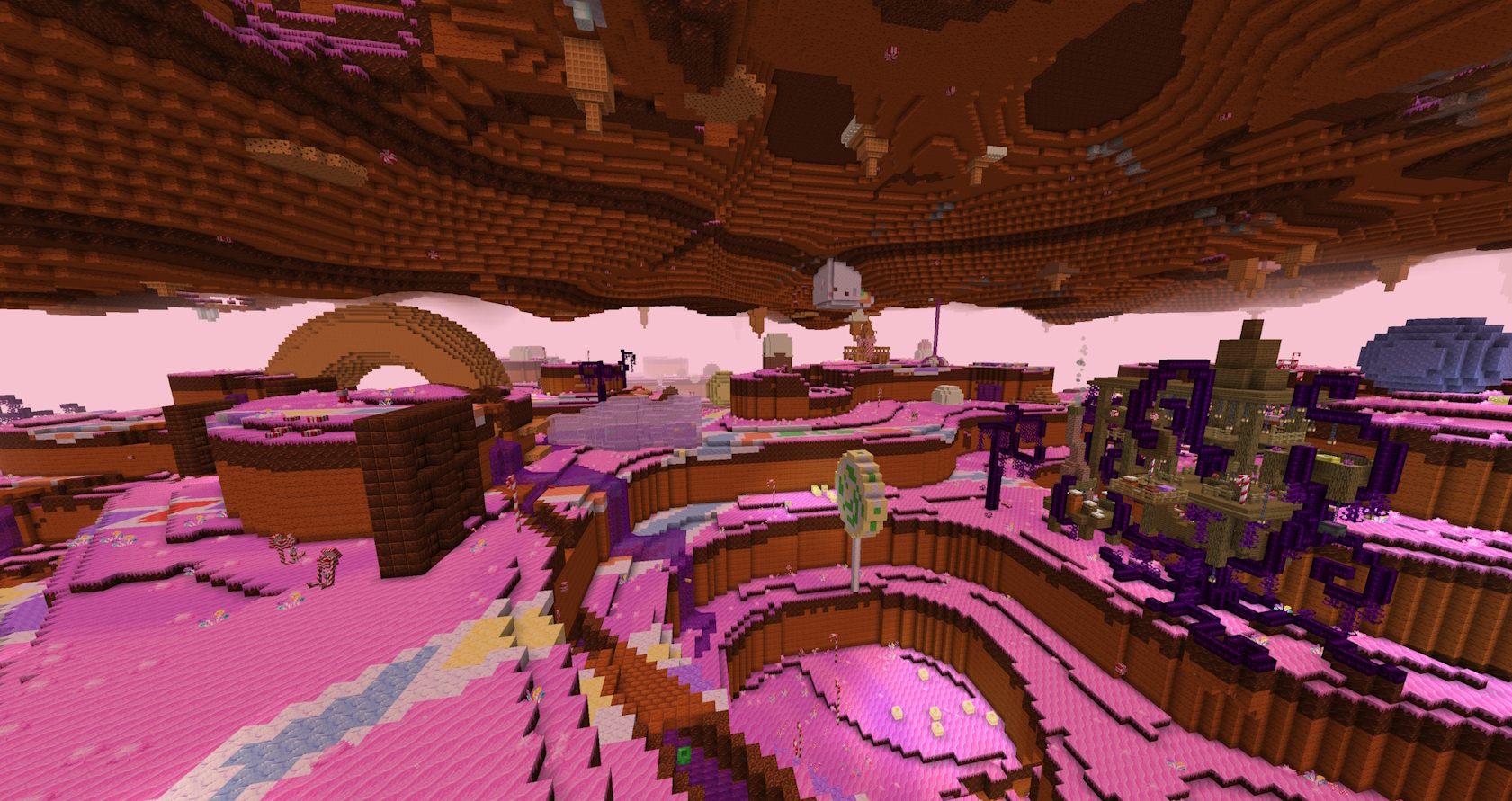
Candy Cavity in the original Java Edition mod. Screenshot: official Alex's Caves gallery, Alexthe668 and Noonyeyz. Original Java mod reference image; not a Fabric port screenshot.
Fabric is a lightweight mod loader that many players prefer for performance mods. If you are searching for Alex Caves mod Fabric, the key thing to know is that the original mod was released for Forge, so Fabric players rely on community ports.
Is there an official Fabric version?
The original Alex Caves Mod was built for Forge on Minecraft 1.20.1. Fabric versions that exist are unofficial ports made by other developers. They aim to bring the same content to Fabric, but they are maintained separately and may lag behind or behave differently.
What you need for a Fabric port
- Fabric Loader for the exact Minecraft version the port supports.
- Fabric API, if the chosen port lists it as a dependency.
- The supporting libraries explicitly required by the selected port; do not substitute a Forge Citadel file.
- Any extra libraries listed on the port's own page.
Installing a Fabric port
- Install Fabric Loader using the official Fabric installer.
- Put the port and its specifically required Fabric dependencies into the selected instance's
modsfolder. - Launch the Fabric profile and check that the game reaches the title screen.
- Create a new world to generate the cave biomes.
Limits to keep in mind
- Some features may not match the Forge release exactly.
- Bug reports must go to the port author.
- Mixing Fabric and Forge mods in one folder will not work.
- Updates depend on the port maintainer.
For the most predictable experience, the Forge 1.20.1 setup is still recommended. You can also compare with the NeoForge guide.
Decide whether you need Fabric specifically
Before looking for a port, identify what ties your modpack to Fabric. You may rely on a particular interface mod, a performance setup or a server that already uses that loader. Write down the essential parts of the pack and check their supported Minecraft versions. If your main goal is simply to experience Alex Caves, a separate instance using the original supported environment may be easier to maintain. If Fabric is essential, evaluate a port as its own project. This avoids treating a loader preference as proof that every Forge feature must have an identical Fabric equivalent available.
Verify a port instead of trusting its name
A project title containing Alex Caves and Fabric does not tell you whether the upload is current, complete or maintained by the original team. Read the author's description, supported game versions and change history. Check whether the project describes itself as an unofficial adaptation and whether it documents missing features. The original project's support information should not be assumed to cover a separately maintained port. Keep the original and port versions clearly distinguished in your notes. A screenshot of a familiar biome can show the intended subject without establishing that the downloaded project reproduces every mechanic or runs on your selected Minecraft version.
Let the port define its own dependencies
Do not build a Fabric installation by copying the original Forge dependency list unchanged. A port may require different libraries, bundle supporting code or use a different approach entirely. Read its installation notes for the exact release you are testing. Install Fabric API only when required by that project's dependency information, and do not assume that a compatible Citadel build exists for every environment. Forge JAR files do not become Fabric files when you rename them. If the required library is unavailable for your chosen Minecraft release, that is a compatibility gap to resolve before starting the game, not a reason to mix unrelated downloads.
Use an isolated trial instance
Create a new game directory and launch Fabric Loader by itself first. Add the candidate port and only the dependencies it explicitly lists. Leave your ordinary Fabric modpack unchanged while testing. Reach the title screen, check the loaded mod information and create a temporary world. Save, quit and reopen that world to check the basic cycle. Once this works, add your usual optional mods gradually. This makes it possible to identify whether a problem comes from the port alone or from its interaction with another component, while preserving a working place to play if the experiment needs more investigation.
Compare features with a practical checklist
Do not judge a port solely by whether the game launches. Check the features that matter to your play style: world generation, important entities, basic recipes, the in-game guide and the ability to save and reload progress. Use a disposable creative world for quick experiments and a separate survival test for progression. Note the version and conditions beside each observation. Avoid assuming that a visually similar biome guarantees identical behavior. If the maintainer documents limitations, compare those limitations with your priorities before committing a long running world. An incomplete feature may be acceptable for an experiment but unsuitable for a shared server.
Test graphics additions after the content works
Fabric players often have an established collection of graphics and performance modifications. Begin the port test without those extras so you can see its default behavior. Afterward, add the desired renderer, resource packs and shaders separately and inspect the same locations again. Record changes in fog, brightness, particles and entity appearance. A graphics compatibility problem should be reported with the relevant renderer and shader versions, rather than described only as a broken cave. Keep screenshots from both the simple and modified setups so that differences are clear. Resetting to the baseline is often faster than adjusting many visual settings simultaneously.
Keep save migration reversible
Moving a world between an original mod and an independently maintained port can affect saved content. Make a copy before testing and leave the original untouched. Visit important builds, check storage and inspect any modded entities you want to preserve. A successful first load does not prove that every object survived migration. If something is missing, stop testing that copy rather than repeatedly saving over your backup. Restore the original environment to continue your existing playthrough. For a group server, arrange a trial with a copied world and a small number of players before making a decision that affects everyone's progress.
Prepare a useful report when something fails
Record the Minecraft release, Fabric Loader version, port release and dependency list. Explain what you expected, what happened and the shortest sequence of actions that reproduces the problem. Include whether it also happens in the clean trial instance. Startup problems need the relevant log message, while in-world issues benefit from a description of the location and conditions. Send the report to the project responsible for the port rather than assuming the original developers can fix it. Before sharing logs publicly, review them for personal paths or server details. Clear reports help maintainers distinguish a compatibility problem from a missing installation step.
Choose maintenance stability over a version label
A useful Fabric setup is one you can understand and reproduce. Keep a known working combination and update intentionally, especially before changing the Minecraft version itself. Review release notes, preserve backups and test new files in a duplicate instance. If the port does not meet your needs, keeping a separate original Alex Caves installation is a reasonable alternative while you continue using Fabric for another pack. There is no need to force two incompatible environments into one directory. Decide according to your actual gameplay priorities, the project's documented support and the amount of troubleshooting you are comfortable doing.
Conclusion
There is no official Alex Caves Mod Fabric release, so Fabric players rely on community ports with their own requirements and update schedules. If you use one, install Fabric Loader, Fabric API and any listed libraries for the exact version, and never mix Forge and Fabric mods in one folder. For the most predictable result, play the original mod on Forge 1.20.1.