How to install Alex Caves Mod on Forge 1.20.1
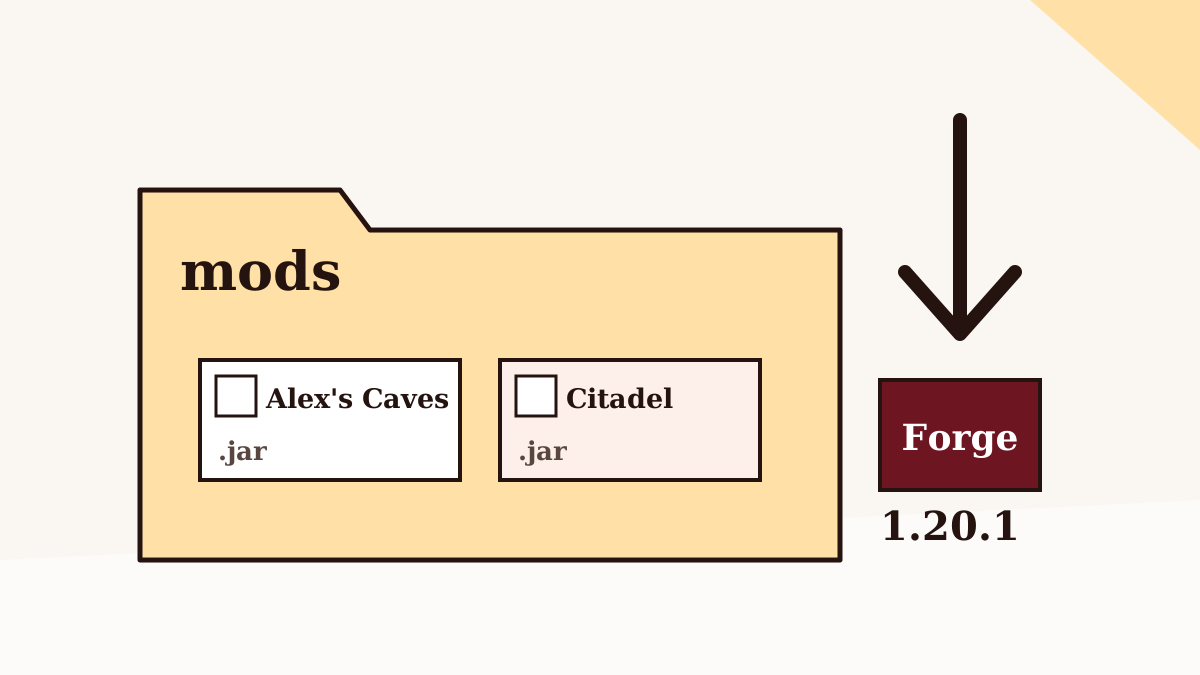
Alex's Caves is a Forge mod for Minecraft Java Edition 1.20.1, and it will not start without its companion library, Citadel. Get those three pieces lined up and installation takes about ten minutes.
Before you start
Check three things first, because nearly every failed install traces back to one of them:
- Your game edition. Alex's Caves is a Java Edition mod. It cannot be installed on Bedrock, Minecraft for Windows from the Microsoft Store's Bedrock build, consoles or phones. The Bedrock and MCPE guide explains why.
- Your game version. The official release targets 1.20.1. A mod built for one version generally refuses to load on another.
- Your Java runtime. Minecraft 1.20.1 runs on Java 17. The official launcher bundles the right runtime; third-party launchers may ask you to pick one.
It is also worth making a copy of any world you plan to open with the mod. Adding a large world-generation mod is not reversible in a clean way.
Step 1: Install Forge for 1.20.1
Download the Forge installer for Minecraft 1.20.1 from Forge's own website, run it, and choose Install client. Open the Minecraft Launcher afterwards and you should see a new Forge 1.20.1 installation. Launch it once without any mods so Forge can create its folders, then close the game.
If you use a launcher such as CurseForge, Prism or ATLauncher, create a new 1.20.1 instance and select Forge as the loader instead. The launcher handles the Forge install for you.
Step 2: Get the right two files
You need two .jar files: Alex's Caves and Citadel, both built for Forge 1.20.1. Use the mod's official project pages on CurseForge or Modrinth, where the release files are listed with their game version and loader. Our guide to safe download sources covers how to recognise the genuine pages.
About the button on this site. The download section links to the source-code archive of the project's GitHub repository. That ZIP is for reading or building the code; it is not a ready-to-play jar, and dropping it into your mods folder will not work.
Step 3: Put both jars in the mods folder
On Windows the default game folder is %appdata%\.minecraft; on macOS it is ~/Library/Application Support/minecraft; on Linux it is usually ~/.minecraft. Inside it, open (or create) the mods folder and copy both jars there. Launcher instances have their own mods folder, reachable from the instance's settings.
Leave the files as they are. Do not unzip them and do not rename the extension.
Step 4: First launch checks
- Start the Forge 1.20.1 profile.
- Open the Mods button on the title screen and confirm that both Alex's Caves and Citadel appear.
- Create a new test world. The first world load with a large mod can take noticeably longer than usual.
If the game stops on a screen listing missing dependencies, the message usually names the problem directly. The crash and error guide walks through the common ones.
Step 5: Multiplayer and servers
Alex's Caves adds blocks, items and creatures, so the server and every player joining it need the same mod and the same Citadel build. Install a Forge 1.20.1 server, place both jars in the server's mods folder, and make sure players use matching files. Mismatched versions usually produce a disconnect with a registry or mod-list error.
What to do once it loads
The new biomes are deliberately rare, so you will not stumble into them on day one. Start by locating an underground cabin; our biome-finding guide explains the cabin, tablet and map chain step by step.
Back to the Alex Caves Mod homepage, or browse all nine guides.